Disclaimer: Information found on CryptoreNews is those of writers quoted. It does not represent the opinions of CryptoreNews on whether to sell, buy or hold any investments. You are advised to conduct your own research before making any investment decisions. Use provided information at your own risk.
CryptoreNews covers fintech, blockchain and Bitcoin bringing you the latest crypto news and analyses on the future of money.

Programming languages such as Solidity, utilized for creating smart contracts on the Ethereum blockchain, are commonly employed in blockchain development. Ganache assists developers in testing and debugging their applications prior to launching them on a live blockchain network. Furthermore, developers need to have a solid understanding of blockchain technology, including its foundational architecture and concepts such as consensus algorithms, cryptography, and decentralized governance.
This article will explore what Ganache is and how it can be utilized in decentralized application (DApp) development.
What is Ganache in blockchain technology?
Ganache is a software tool that developers frequently use to establish a local blockchain network for testing and development purposes. By simulating a blockchain network on their local machine with Ganache, developers can effectively test various scenarios and troubleshoot their blockchain applications. Ganache facilitates the rapid development of distributed applications using Ethereum and Filecoin.
The tool must first be installed on the developer’s computer, and a new workspace needs to be created before utilizing Ganache for blockchain project development. Once the workspace is established, developers can connect their blockchain project to Ganache, allowing them to test and debug their application on the simulated blockchain network.
Ganache offers a variety of useful features, including the creation of new accounts, the ability to send transactions, and the functionality to debug smart contracts. By effectively identifying and resolving bugs in their smart contract code, developers can leverage Ganache as a debugging tool to accelerate the development process. The debugger feature enables developers to examine their code line-by-line and observe the values of variables at each step, simplifying the process of locating and fixing bugs.
There are two versions of Ganache available: a user interface (UI) and a command line interface (CLI). The user-friendly Ganache UI allows developers to easily interact with the local blockchain. It provides real-time information on accounts, balances, transactions, and events, along with tools for testing and debugging smart contracts. Additionally, the interface includes a built-in block explorer tool that enables users to investigate the details of each block and transaction.
Conversely, developers can interact with the local blockchain through the terminal using the Ganache CLI. This option is more flexible and compact for those who prefer command-line tools. Developers can automate testing and deployment tasks by integrating the CLI with other development tools and scripts.
Regardless, the core functionality of the Ganache UI and CLI remains the same, allowing developers to select the version that best aligns with their preferences and workflow.
Is Ganache blockchain free?
Yes, Ganache is a free, open-source blockchain development tool. The user-friendly interface of Ganache allows for the creation and management of a personal blockchain network. It also generates private keys for the accounts created within the network, facilitating secure testing of smart contracts.
Related: The significance of open-source in computer science and software development
In the Ethereum development community, Ganache is a favored tool for creating, testing, and deploying smart contracts. Its interoperability with other Ethereum development tools, such as the Truffle Suite framework, makes it an ideal addition to developers’ workflows. Truffle Suite serves as an Ethereum development framework for building, testing, and deploying smart contracts on the blockchain.
Are Truffle and Ganache the same blockchain?
Truffle and Ganache are not identical blockchains, but they are closely associated tools utilized in blockchain development. Truffle can be employed with various blockchain networks, yet it is most commonly used with Ganache as a local development network.
Before deploying their smart contracts to a live network, developers can use Truffle to design, compile, and test them on the Ganache network. This enables rapid and cost-effective software design and testing, as well as iteration and modification of smart contract code.
How to install and use Ganache
Ganache is an essential resource for blockchain developers, allowing them to test and debug their applications on a simulated blockchain network prior to deployment on a live network. Here’s a step-by-step guide on how to install and utilize Ganache for personal Ethereum blockchain development:
Step 1: Download and install Ganache
Obtain the application for your operating system from the official Ganache website. After downloading, run the installation file and follow the on-screen instructions to install the application on your computer. Ganache is compatible with Windows, Mac, and Linux operating systems in all its versions.
Step 2: Create a new workspace
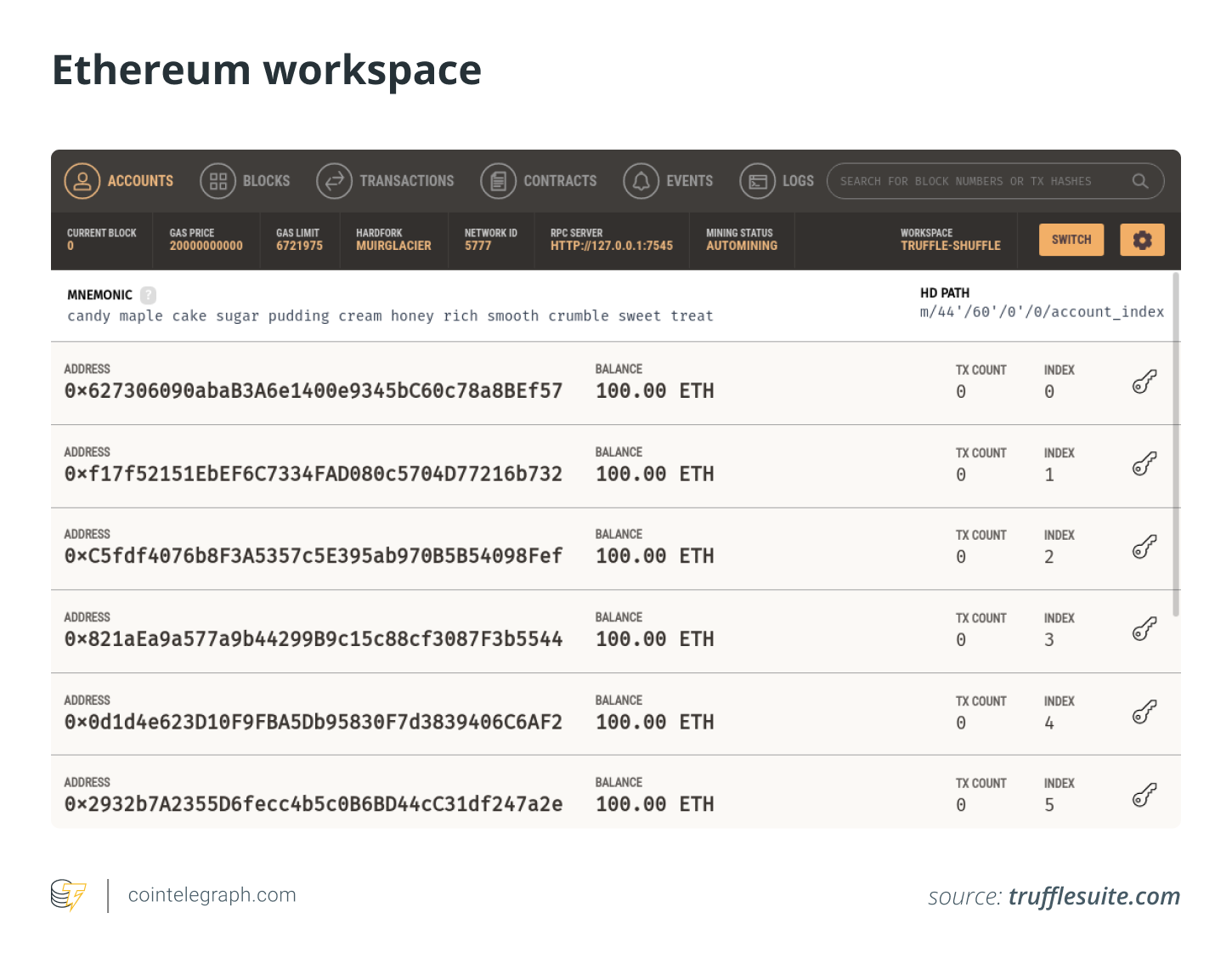
To create a new workspace, launch the Ganache application and select “New Workspace.” Users can configure the network parameters for their customized Ethereum blockchain in the workspace settings, including the number of accounts, gas limit, and initial balance for each account.
An Ethereum workspace consists of settings and user accounts that define the parameters for a personalized Ethereum blockchain network established using Ganache. Developers can easily set up a private Ethereum network for testing and development purposes through workspaces.
Step 3: Start the personal Ethereum blockchain network
After adjusting the network settings, click “Start” to initiate your private Ethereum blockchain network. Ganache will generate a set of private keys for each of the accounts you configured in the workspace settings. Next, copy the remote procedure call (RPC) server address displayed at the top of the screen, as this will be needed to connect your development tool.
The RPC communication protocol allows client software to invoke a server-side process remotely. Consequently, it is possible to activate a procedure or function in another address space or process without the programmer needing to concern themselves with the specifics of the underlying network transport or communication protocols. This enables applications to communicate with other systems on a network.
Step 4: Connect your development tool to the Ganache network
To deploy and test smart contracts on the private Ethereum blockchain, it is essential to connect your development tool, such as Truffle Suite, to the Ganache network. To accomplish this, follow these steps:
- Open your development tool and navigate to the settings or configuration menu.
- Look for a provider or network selection option, then enter the RPC server address you copied from Ganache.
- Save your changes and restart your development tool to ensure it utilizes the new network.
Step 5: Test and deploy smart contracts
Related Posts
Once the network is configured, users can deploy and test their smart contracts on the private Ethereum blockchain. They can compile and deploy their contracts to the Ganache network using the Truffle command line interface. After deployment, the Truffle CLI can interact with the contracts and test their functionality.
This allows developers to engage with their smart contracts and the underlying blockchain network through various commands. By utilizing the Truffle CLI, developers can automate the building and deployment of smart contracts, simplifying the development and deployment of DApps.
When a smart contract is deployed to the mainnet, it must be submitted to the network, and a fee in cryptocurrency is incurred to cover the cost of executing the contract on the blockchain. Once deployed, a contract becomes immutable and unchangeable. Therefore, thorough testing before deployment is crucial to ensure that the smart contract functions as intended and is secure.
An example of a simple contract deployment using Truffle CLI
Step 1: Open the terminal or command prompt and navigate to the directory where you wish to create a project.
Step 2: To initiate a new Truffle project, enter the following command:
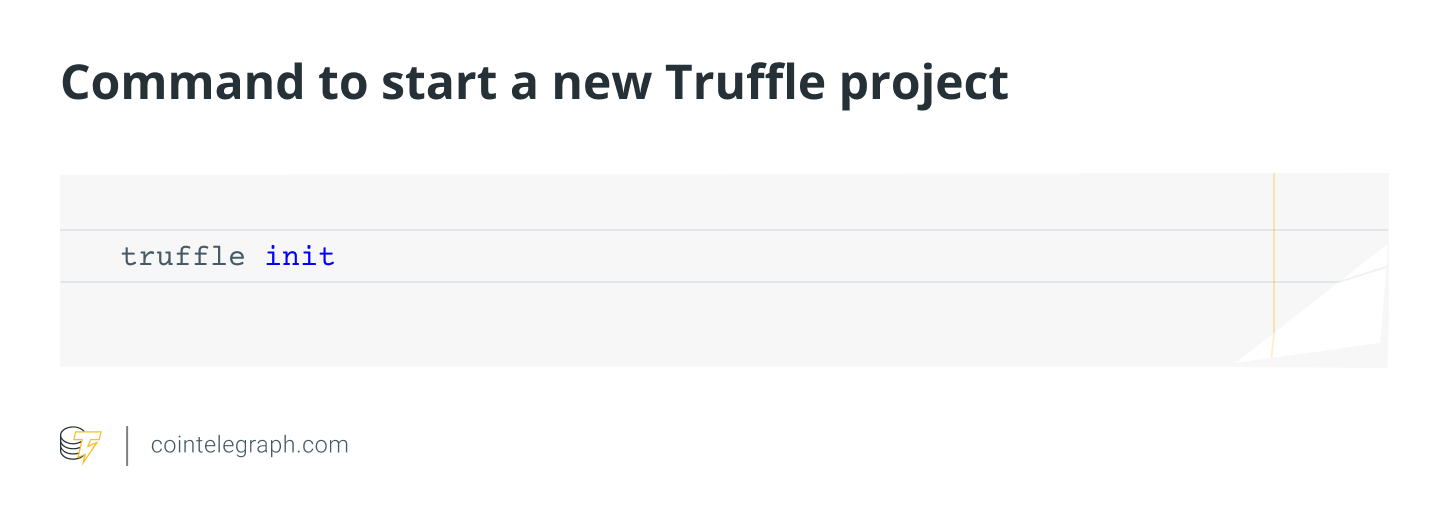
“Truffle init” is a command that sets up a new Truffle project with a basic directory structure and configuration files.
Step 3: In the contracts directory, add a new Solidity contract file. Here’s an example of a simple contract that stores a string:
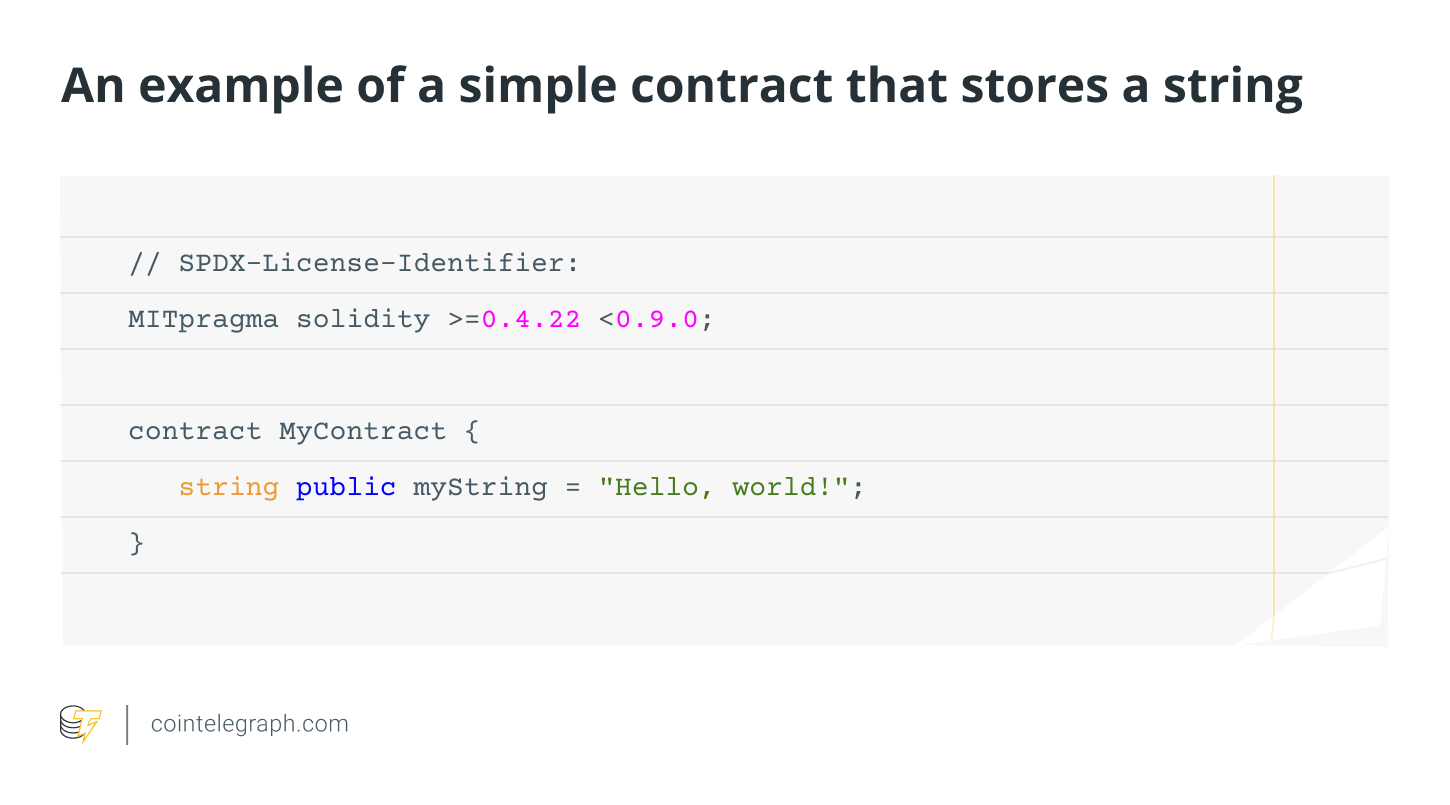
The code above represents a smart contract written in the Solidity programming language. It contains one declared variable, a public string variable named “myString,” which is initialized to “Hello, world!” and is accessible to everyone on the blockchain.
This contract can be deployed on a private blockchain or an Ethereum network using a tool like Ganache. Once set up, it can be used to interact with transactions sent to its blockchain address.
Step 4: Compile the contract by executing the following command:
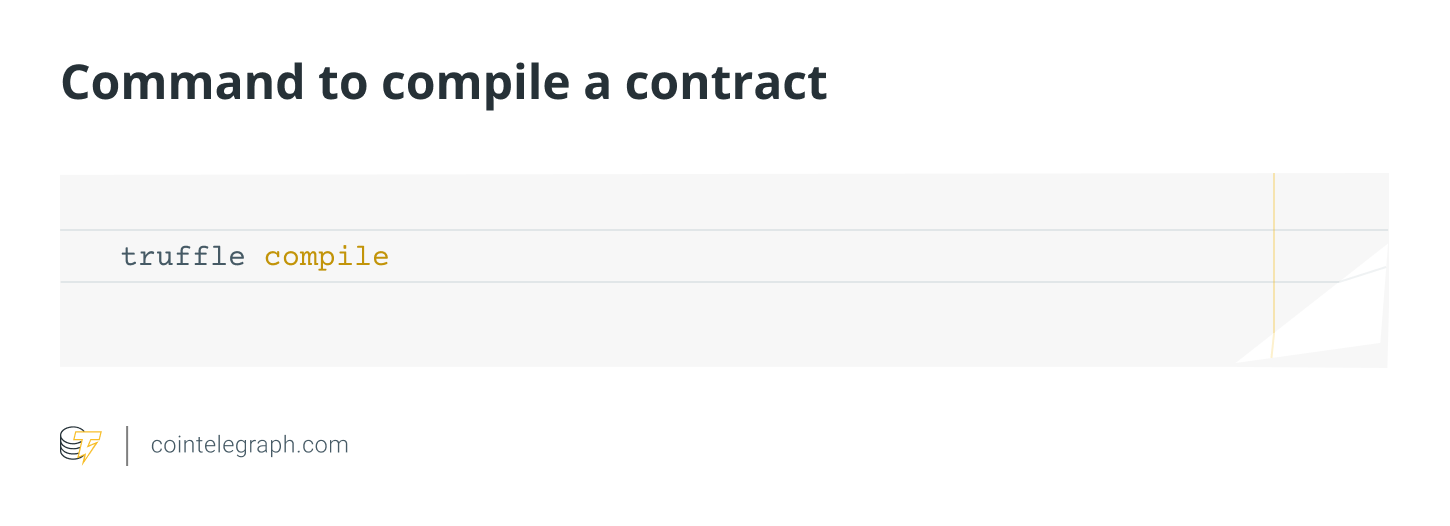
“Truffle compile” is a command that compiles the contract code and generates an application binary interface (ABI) and bytecode. The ABI acts as the interface between smart contracts and applications, while bytecode is the compiled version of a smart contract that can be executed on the Ethereum Virtual Machine (EVM).
Step 5: Use the following command to deploy the contract to a local blockchain network like Ganache:
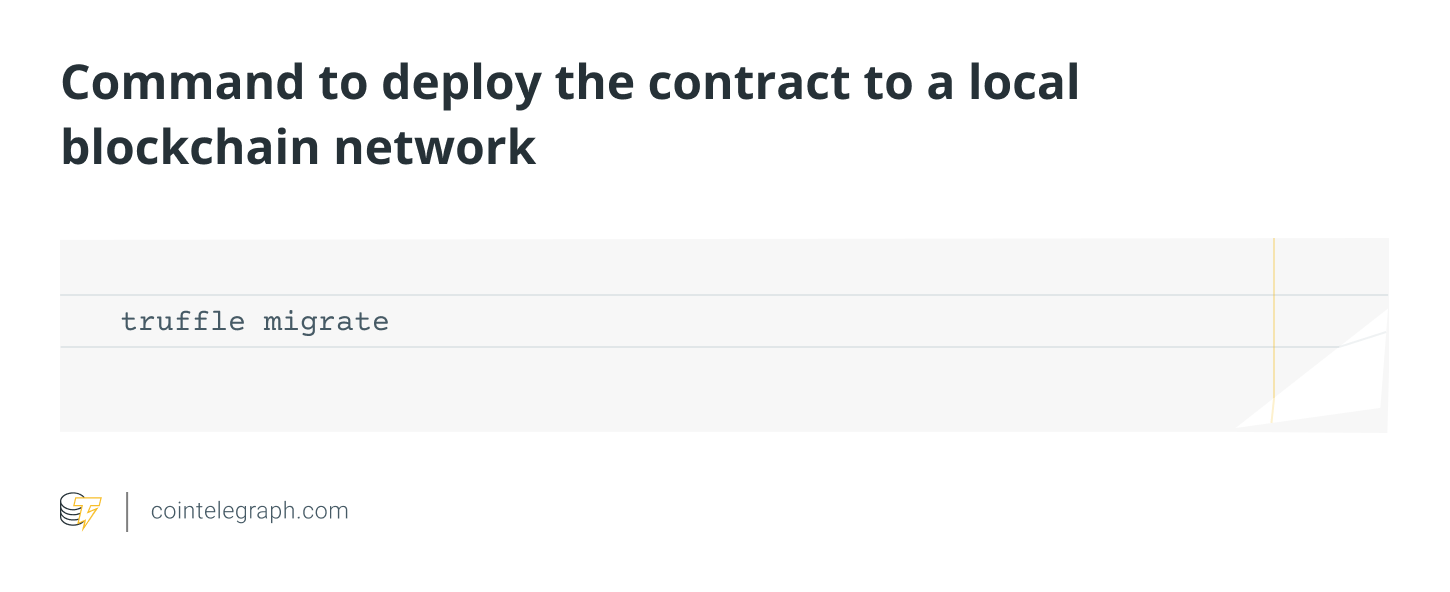
“Truffle migrate” is a command that deploys the contract to the local network and creates a new migration script in the “migrations” directory.
Step 6: Execute the following command to interact with the deployed contract using the Truffle console:
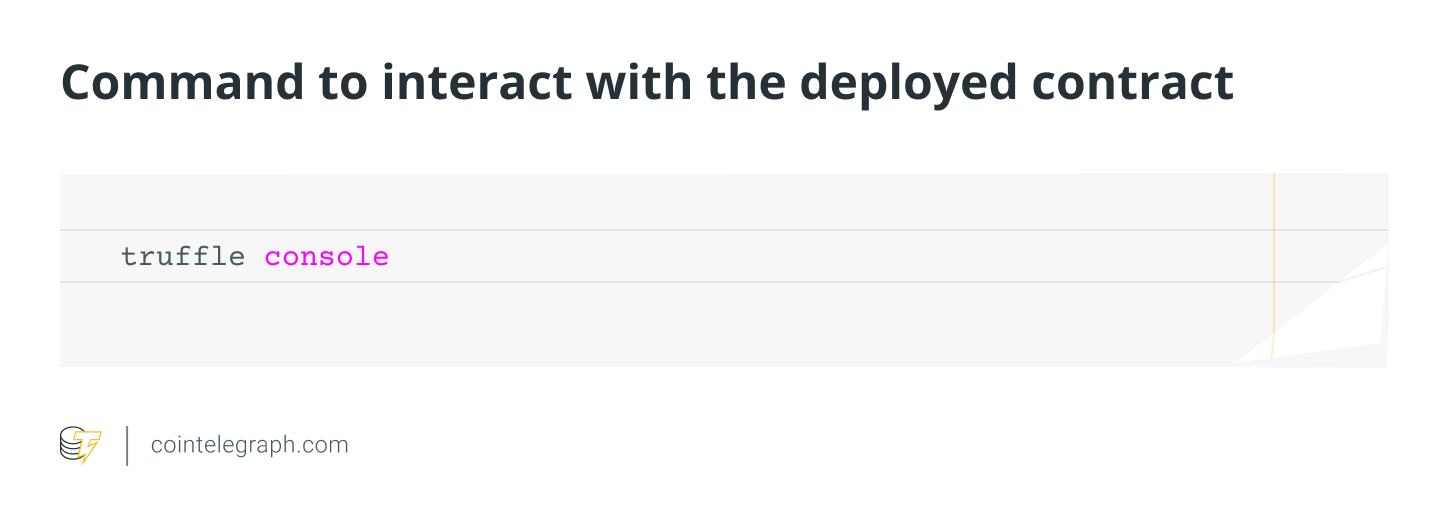
“Truffle console” opens a console with the web3.js library and contract artifacts loaded, enabling interaction with a blockchain network.
Step 7: By creating an instance of their contract and invoking its functions once in the console, users can communicate with their contract. For example, the following commands can be used to retrieve the value of myString:
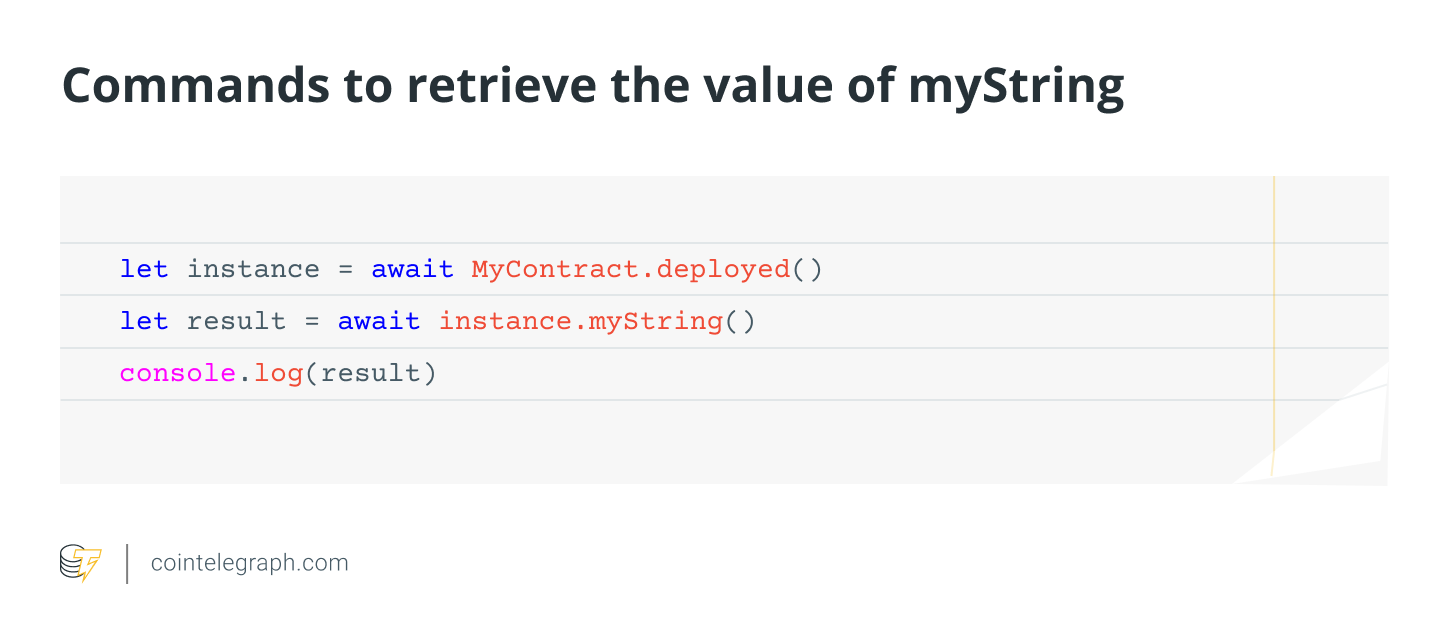
The value of the string variable (myString) is then retrieved from the deployed instance of the smart contract (MyContract) using the above code. The output “Hello, world!” is displayed in the console using “console.log(result).”
Advantages of using Ganache
Utilizing Ganache as a blockchain development tool offers several advantages. One significant benefit is that it provides users with access to a private Ethereum blockchain network featuring an intuitive UI for testing and development. Consequently, developers can test their smart contracts in a secure and private environment before deploying them on a live network. By offering a local network, developers can also avoid the high costs and lengthy transaction times associated with public networks.
Additionally, Ganache generates private keys for the accounts created within the network for testing and development, adding another layer of security. Moreover, Ganache’s compatibility with the Truffle Suite framework simplifies the process of creating, testing, and deploying smart contracts on the blockchain.
Examples of how Ganache can be utilized include the development of DApps, such as blockchain-based games, and the testing of smart contracts for blockchain-based supply chain management systems.
Challenges of using Ganache for blockchain development
While Ganache is a robust tool for blockchain development, developers may face certain challenges. One primary issue is that Ganache operates as a local development network and is not directly connected to the Ethereum mainnet. This can lead to discrepancies in how smart contracts behave when deployed to a live network compared to the Ganache network, potentially resulting in unforeseen issues.
Another challenge is that Ganache may not always accurately reflect the conditions of a live network. For instance, Ganache allows developers to set their own gas prices, which may not align with those on a real network. This can create complications when deploying smart contracts on a live network, as the gas price may not be sufficient to complete the transaction.
Finally, there may be challenges regarding Ganache’s interoperability with other Ethereum development tools. Although Ganache and the Truffle Suite framework are generally compatible, issues may arise if developers utilize other programs or libraries not designed to work with Ganache.
